iPhone and iPad app
Repairflow on your iPhone and iPad.
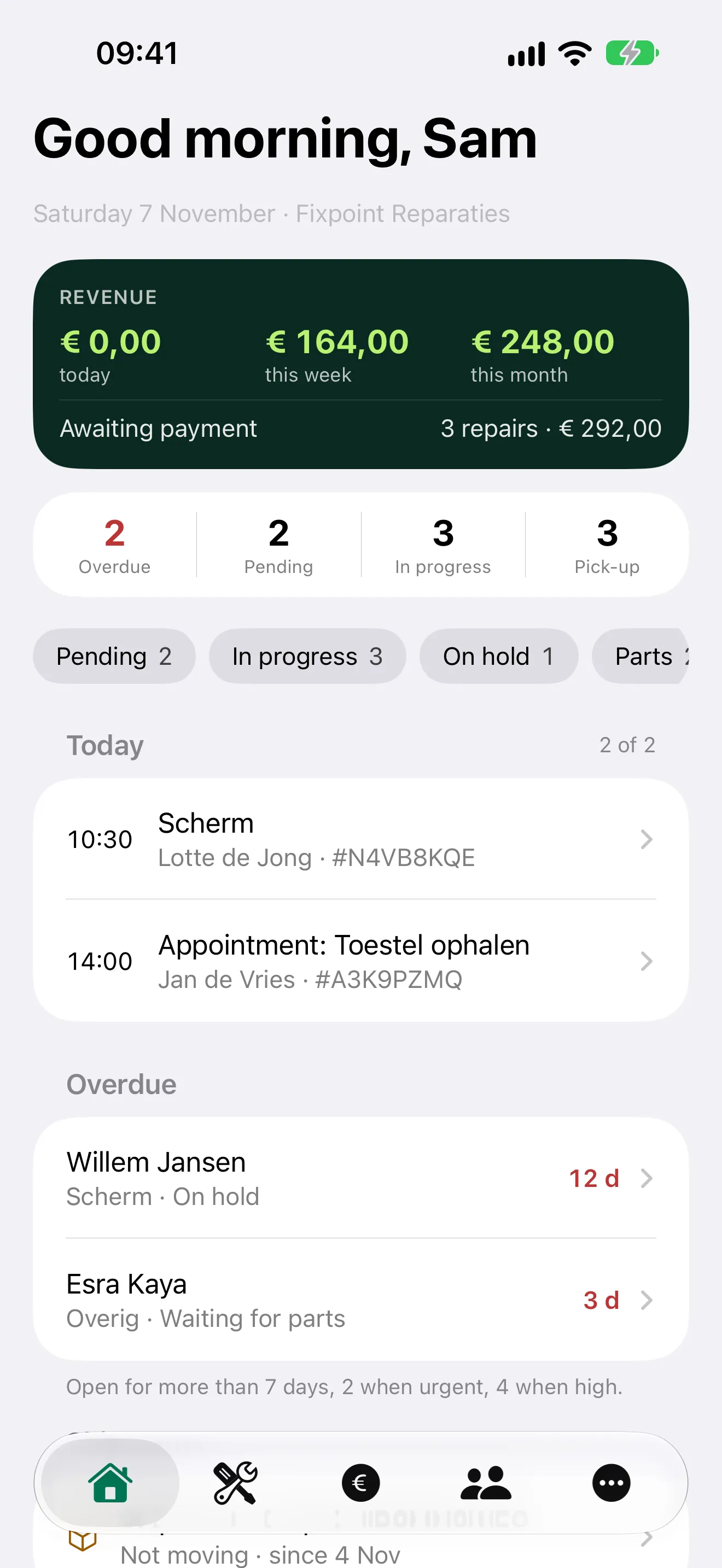
Repairs, scanning, stock and the till, with the same account you use on the computer. Whatever you do in the app shows up in Repairflow on the web straight away.

Included in your subscription · iPhone and iPad · iOS 26 or later
New to Repairflow? See pricing
What you do with it
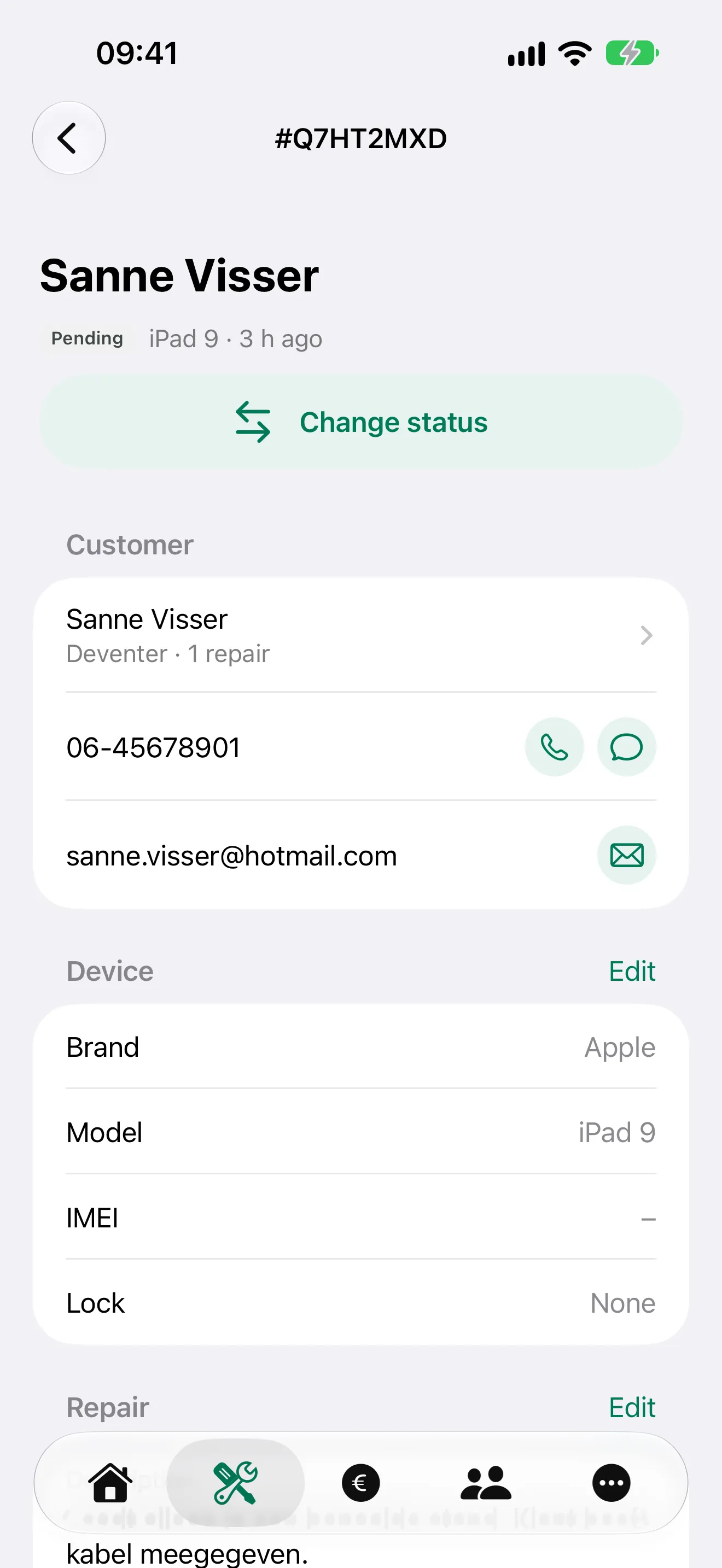
Repairs wherever you are
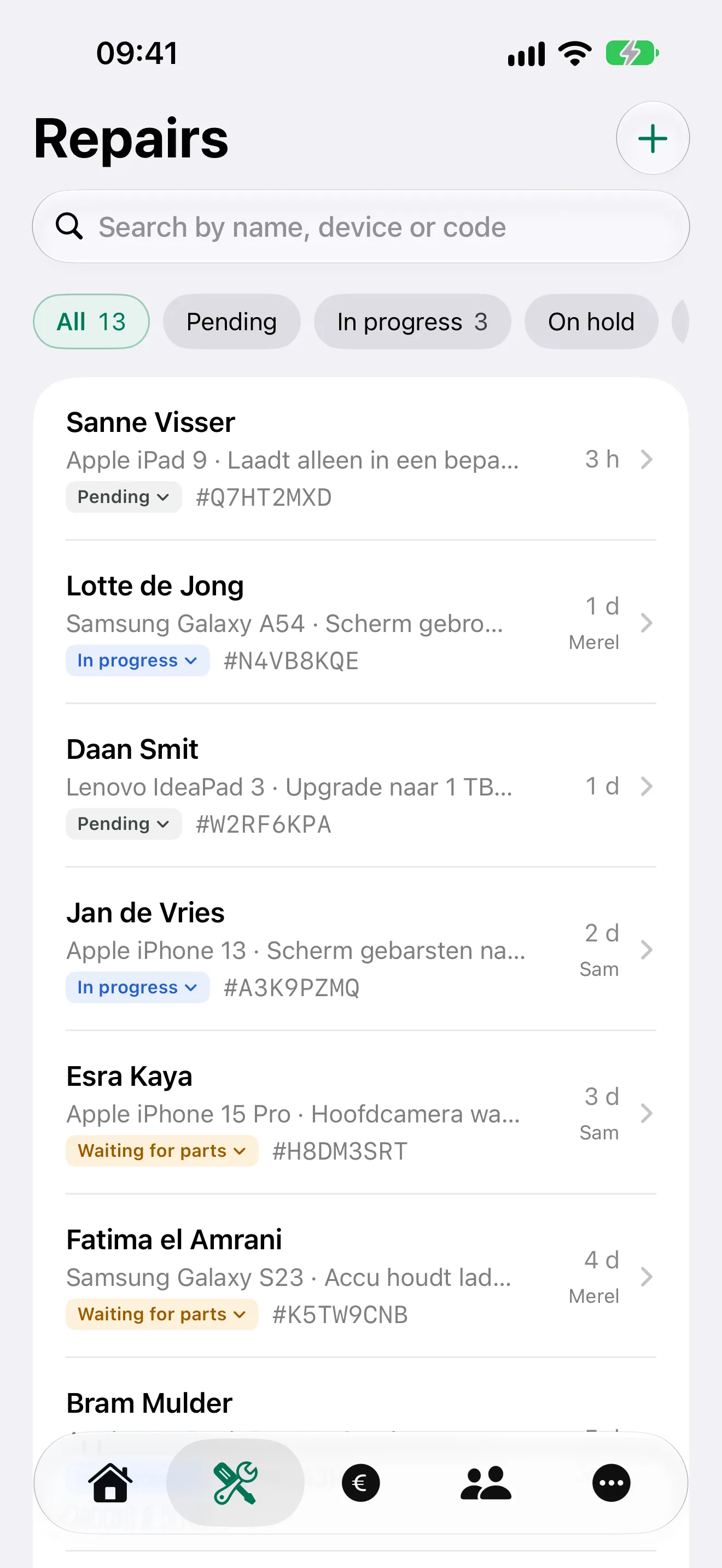
Every repair in one list, with search and a filter per status. Open a repair and change anything: status, notes, device, cost lines and before, during and after photos, taken with the camera or picked from your library. Book in a new repair in the app, and ask for a signature on the iPad at the counter or by email.
Scanning and stock
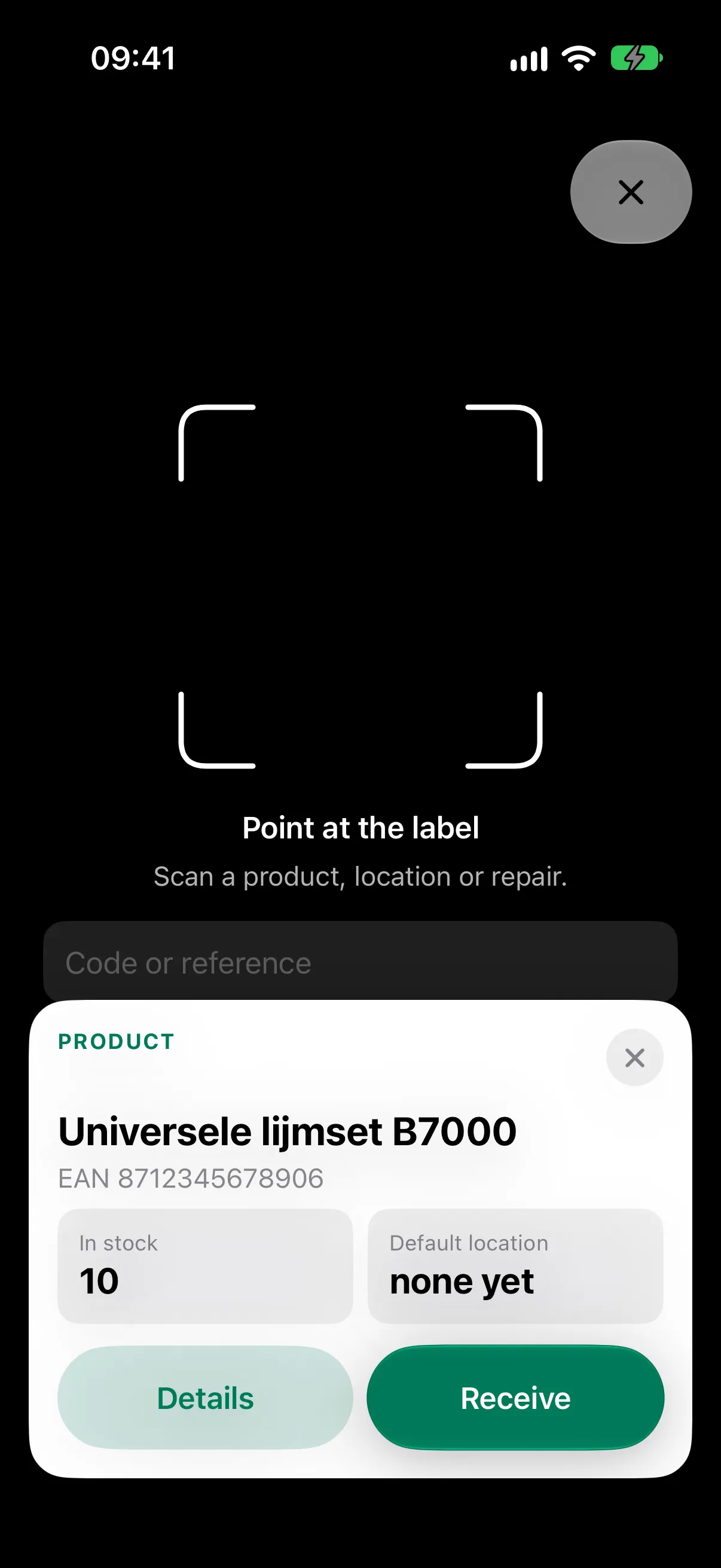
Your iPhone camera is the scanner. Scan the label on a device and the repair opens. Scan a product label to see how many you have and where. Scan a bin or shelf to see what is in it. When an order arrives, scan the product and the location and it is booked in the right place.
The till at the counter
Sell products and services and settle a repair, on a receipt or an invoice. Quotes, subscriptions, opening and closing the register, cash movements, day totals and reports are all there. With Mollie connected you can send a payment link too. You record card payments yourself: the app is not linked to your card terminal.
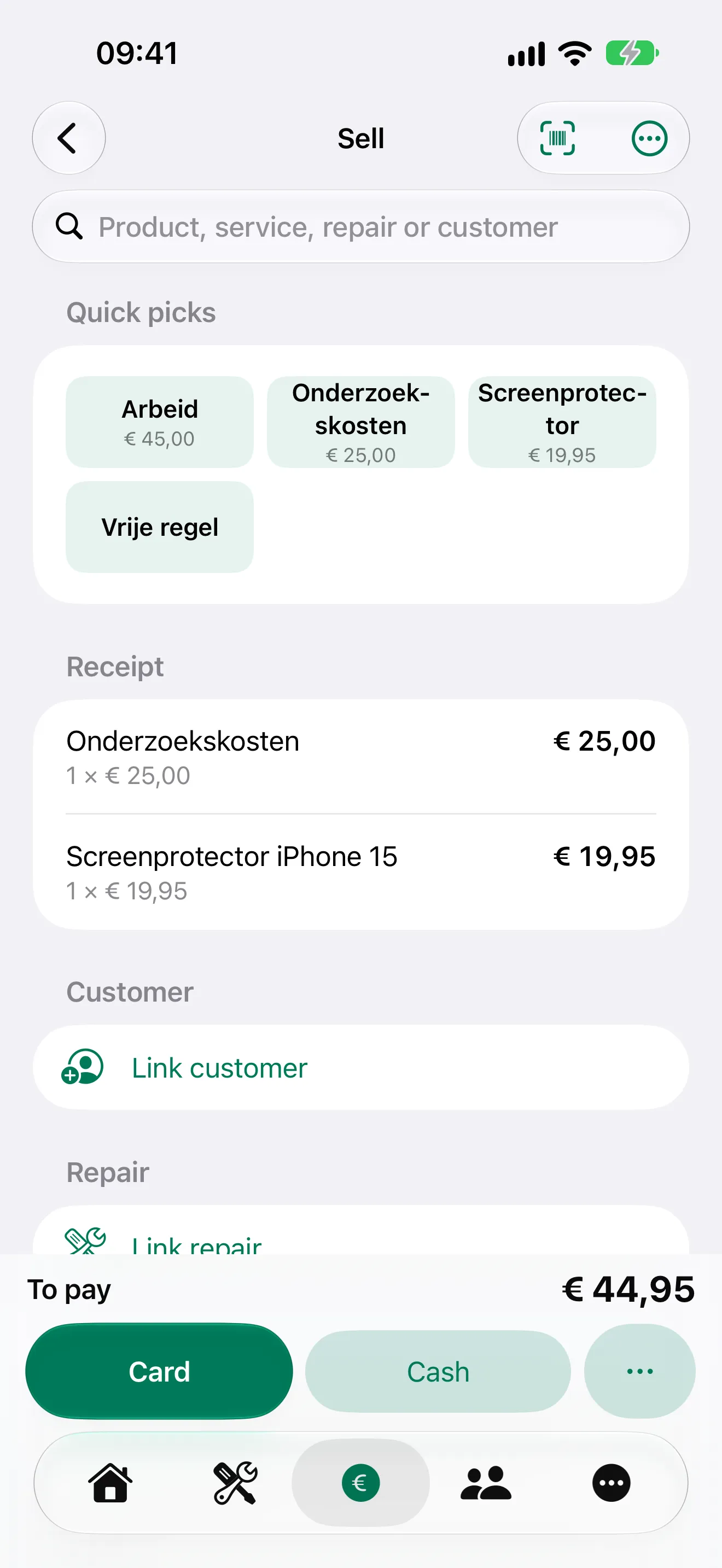
One account for web and app
- You sign in with the same email address and password as on the web. The same goes for your staff.
- Everyone sees in the app what they are allowed to see on the web. Revenue on Home is for the owner and managers, not for technicians.
- When a colleague changes something on the computer, you see it in the app straight away, and the other way round.
- The app is available in English and Dutch.
On the iPad
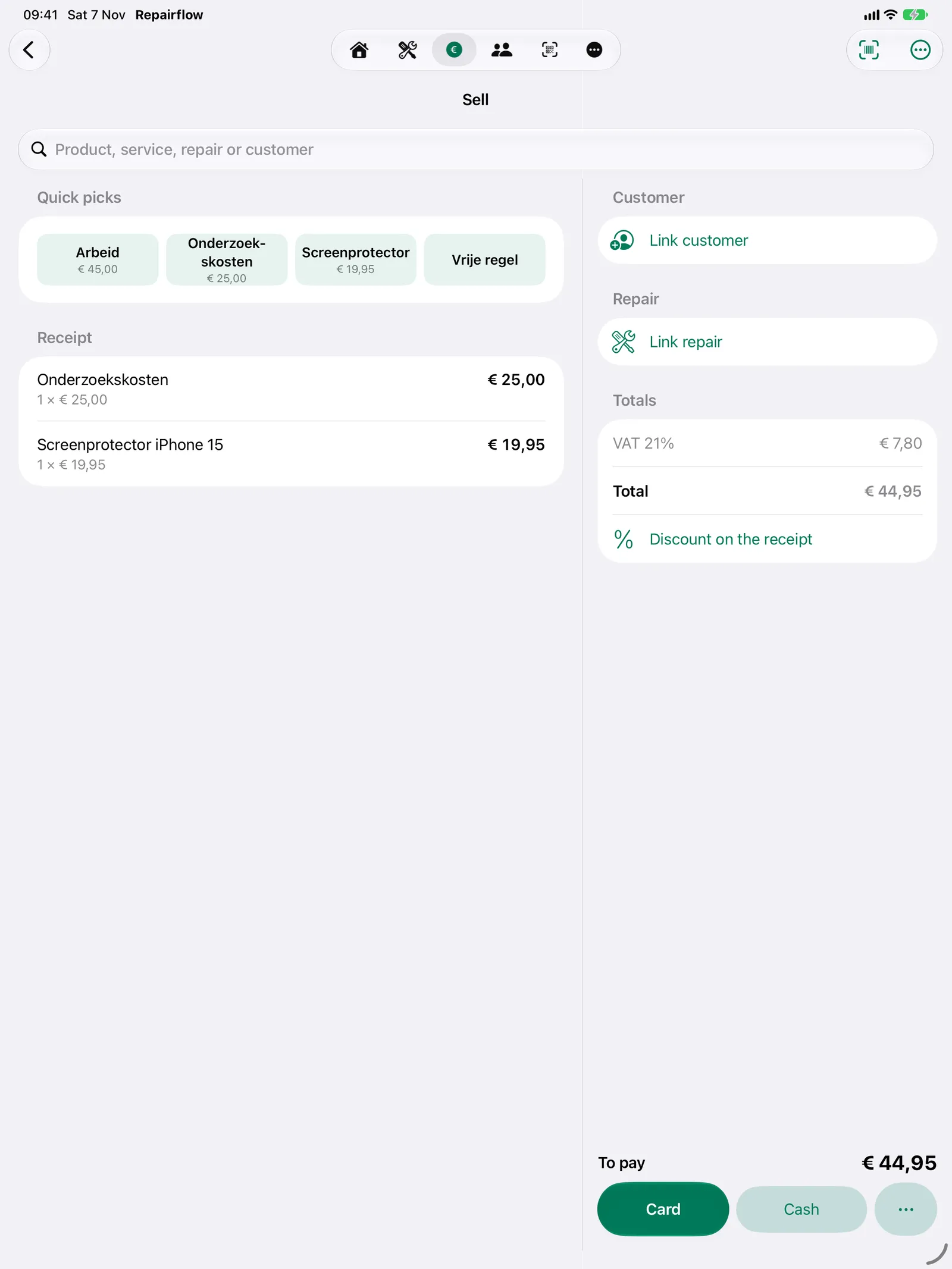
On the iPad the tabs sit as icons at the top and the till is split into two columns: search, quick picks and the receipt on the left, the customer, the repair and the total on the right. Put it in a stand at the counter and you have a till that knows your repairs.
Questions about the app
Does the app cost extra?
No. The app is part of your Repairflow subscription. You pay nothing extra for it, not per staff member either.
Do I need a new account?
No. You sign in with the same account as on app.repairflow.eu. If you have not accepted your shop’s invitation yet, first set your password through the link in the email.
Does the app work on the iPad?
Yes. On the iPad the till is split into two columns, so you see the receipt and the total side by side.
Do I get push notifications?
Not yet. While the app is open, you do see what colleagues change straight away.
Which iOS version do I need?
iOS 26 or later on the iPhone, iPadOS 26 or later on the iPad.
Try Repairflow free for 30 days.
No credit card, ends automatically. Switching takes an afternoon.