Every repair from intake to pickup, without loose notes.
Job tickets, kanban, status emails, photos and a signature on the iPad. Repair management the whole shop follows.
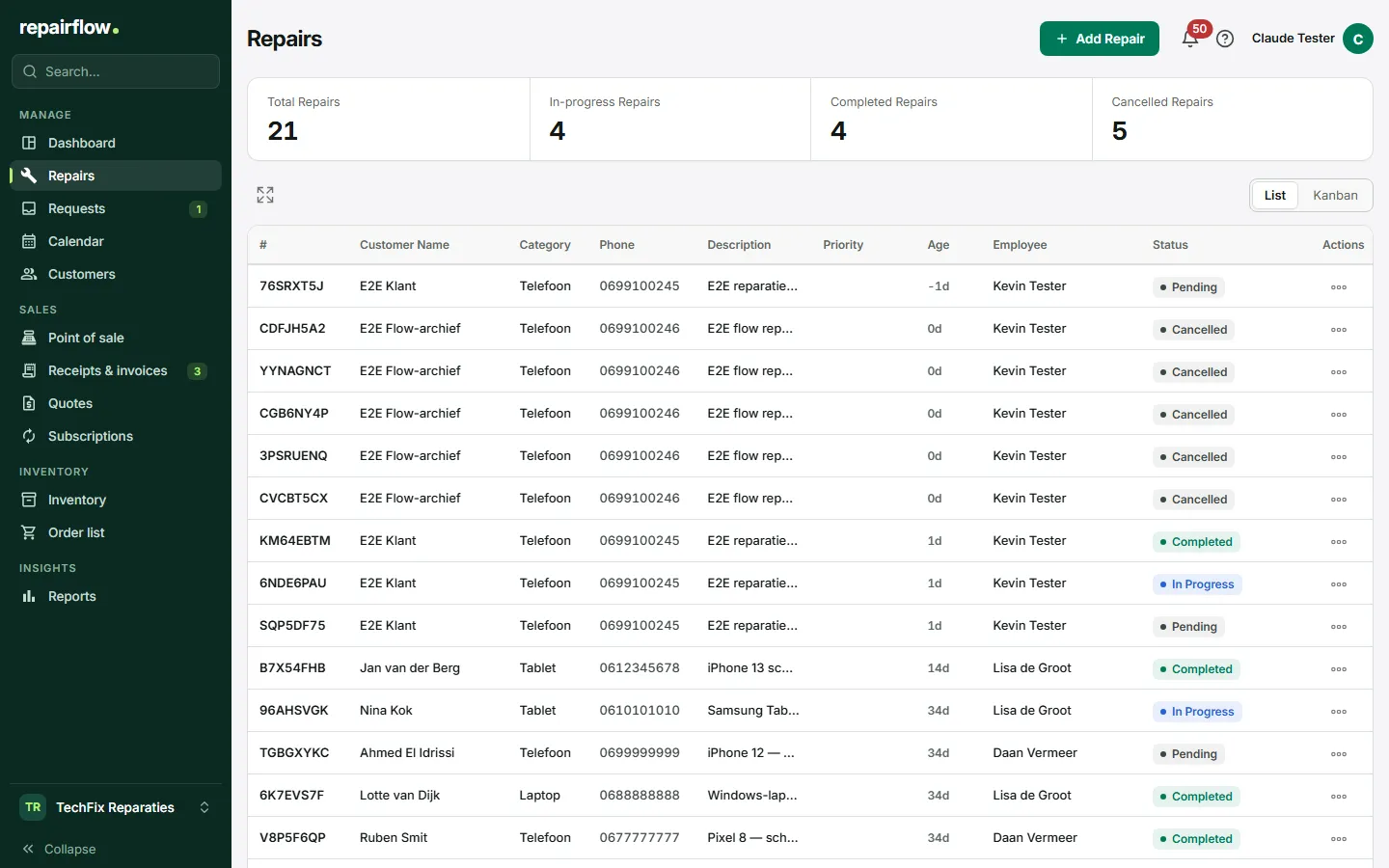
Repair management is the core of Repairflow. Everything you now keep on a job ticket, in a spreadsheet or in your head lives in one place and follows the repair from intake to pickup.
What you do with it
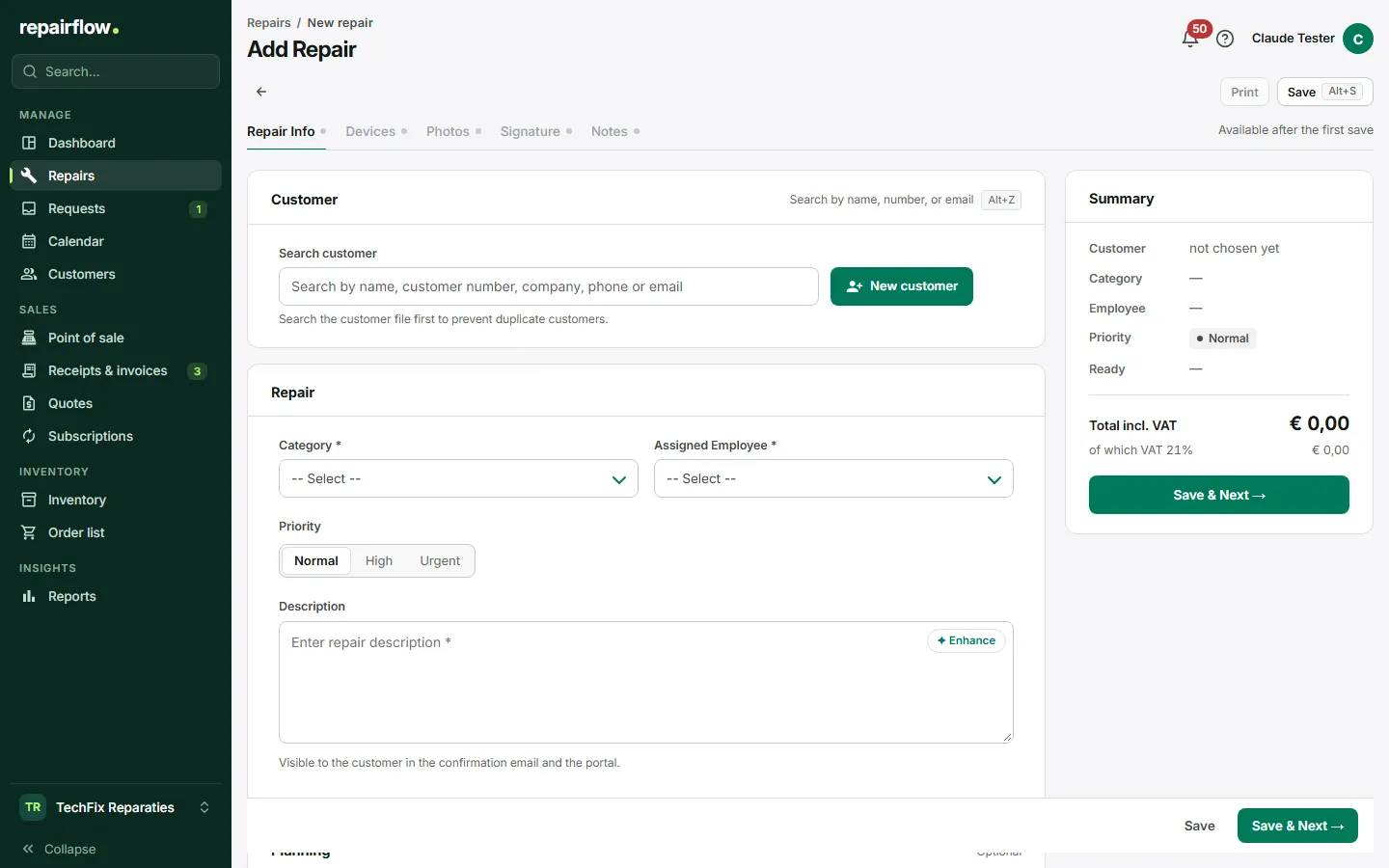
Intake on one screen
Customer, device, complaint, checklist and price on one page. You find an existing customer by name or phone number; a new one you create in the same step. Every repair gets a short reference number that appears on the label, in the email and in the customer portal.
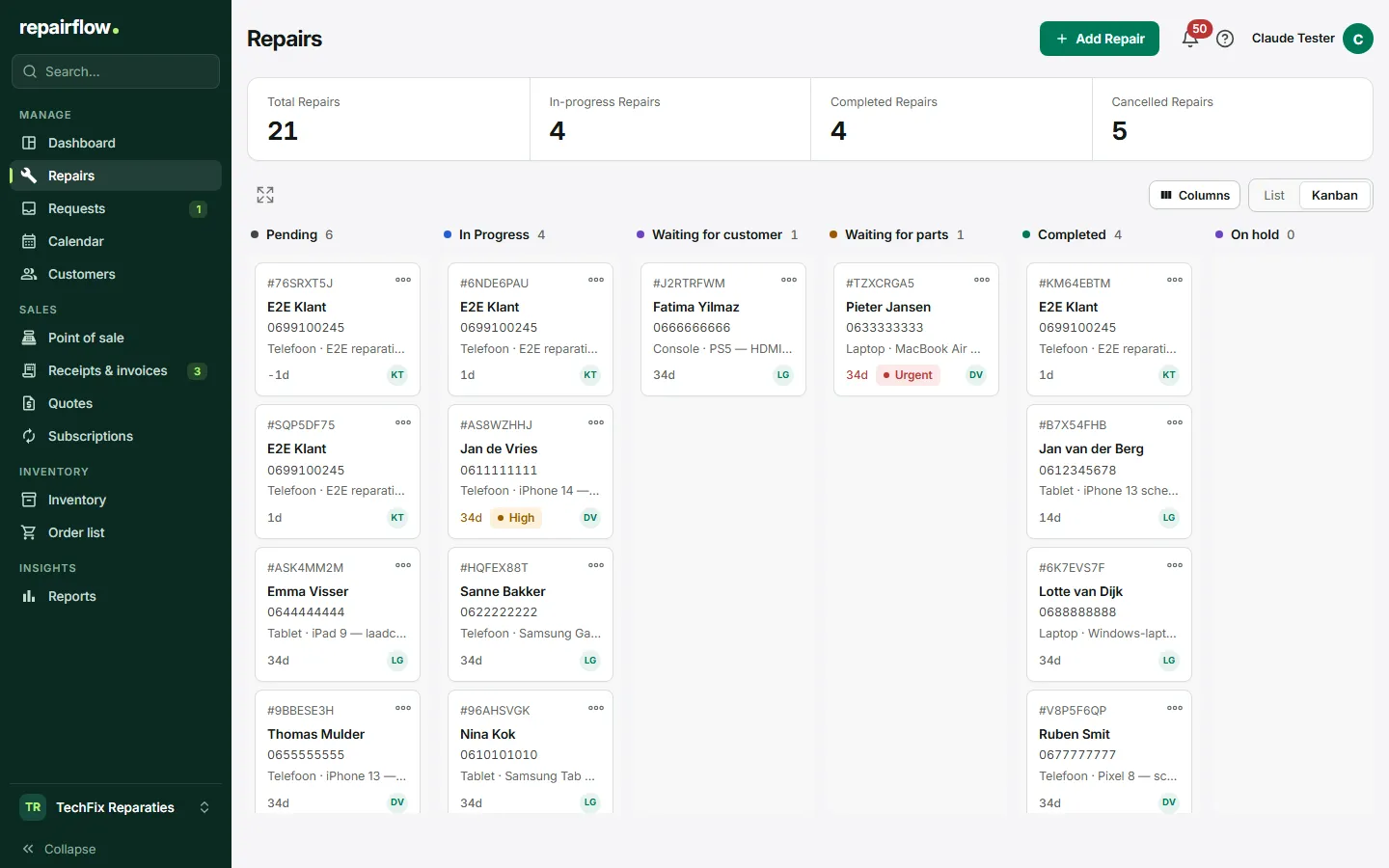
Overview on the board
Drag a repair from Pending to In progress to Completed. Who does what is shown, as is the age of every repair. The list view and the board always show the same figures.
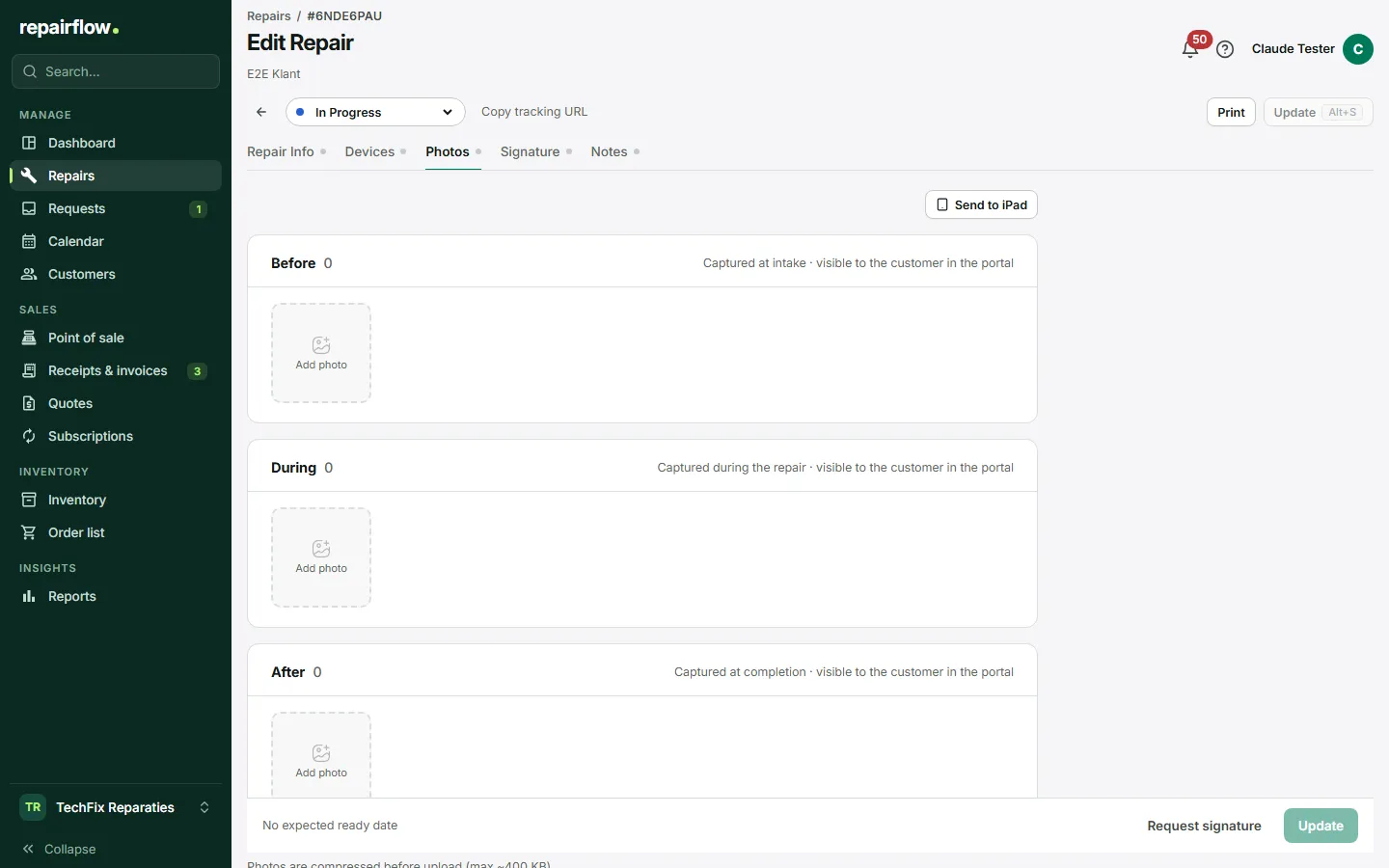
Photos before, during and after
Record the condition of the device at intake and after the repair. At pickup the customer can take photos themselves on the iPad at the counter, so there is no discussion later.
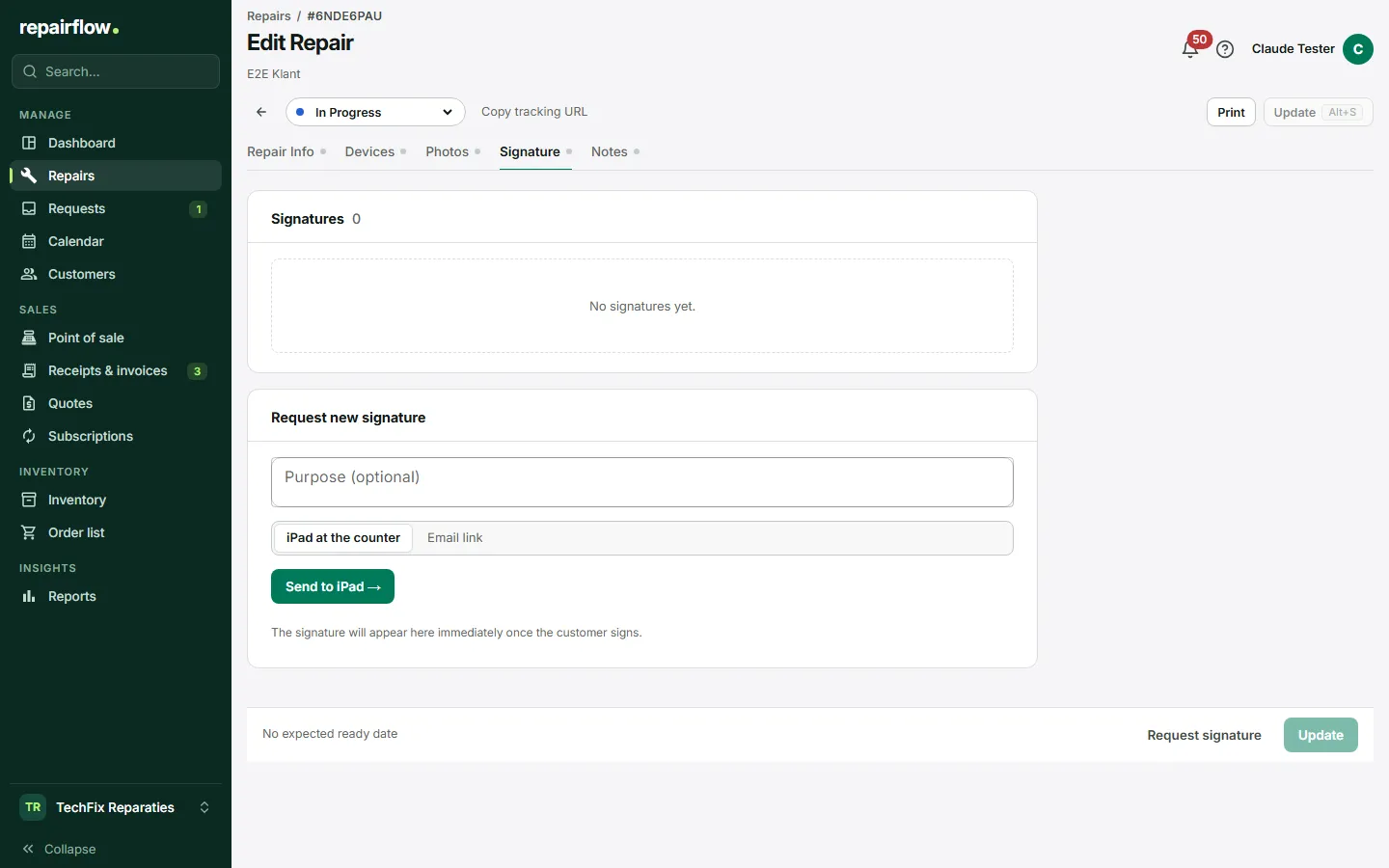
Signature on the iPad or by email
The customer signs for the terms and the cost estimate on the iPad at the counter, or through a link in an email. The signature and the amount at that moment are stored with the repair.
iPad display at the counter
An iPad in the shop shows the signature page and the camera as soon as you ask for it. No account on the iPad, only a pairing code.
Status emails in your own branding
Confirmation, progress and "ready for pickup" go out automatically, in Dutch or English, with your logo and details.
How it works
-
Take in the repair
Enter customer and device, print the label and send the customer the confirmation email.
-
Work on the device
Set the status on the board, add notes and photos, order parts from within the repair.
-
Hand over and settle
The customer gets an email that the device is ready, signs on the iPad and pays at the point of sale.
Works together with
-
Point of sale
Receipts, invoices and day totals from the same system as your repairs.
-
Customers
Every customer with their devices, repairs and invoices at hand.
Try Repairflow free for 14 days.
No credit card, ends automatically. Switching takes an afternoon.