Parts in stock, on the repair and at the wholesaler, in one overview.
Inventory management with parts on repairs, an order list that fills itself and a link to your wholesaler.
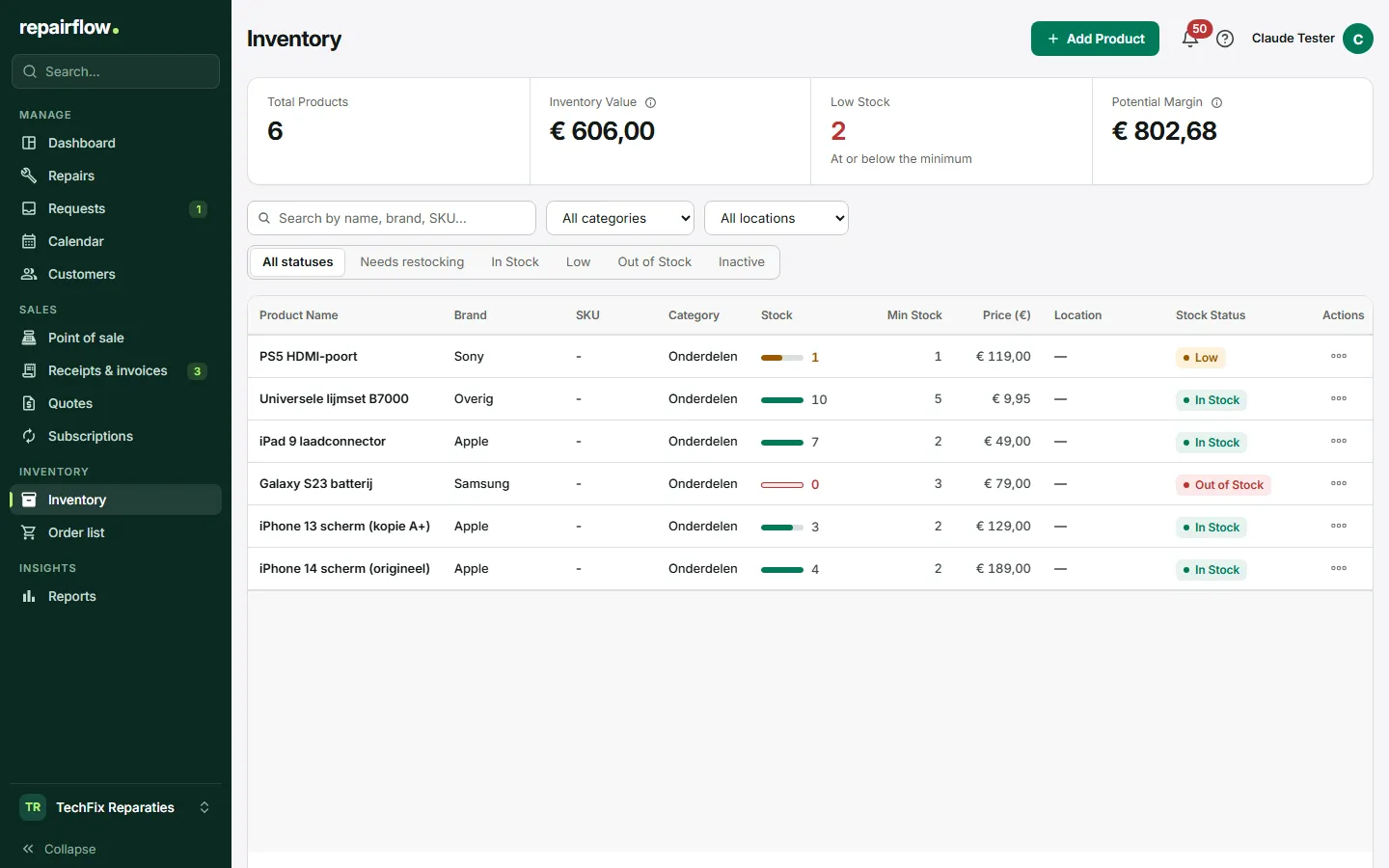
Inventory in a repair shop is not a warehouse but a workbench. Repairflow follows a part from the wholesaler through the repair to the receipt, so you know what you have and what it costs you.
What you do with it
Parts on the repair
Link a screen or battery from the inventory to the repair. The sale price goes on the cost line, the purchase price stays with you. On completion the part leaves the inventory; on settlement it is accounted for.
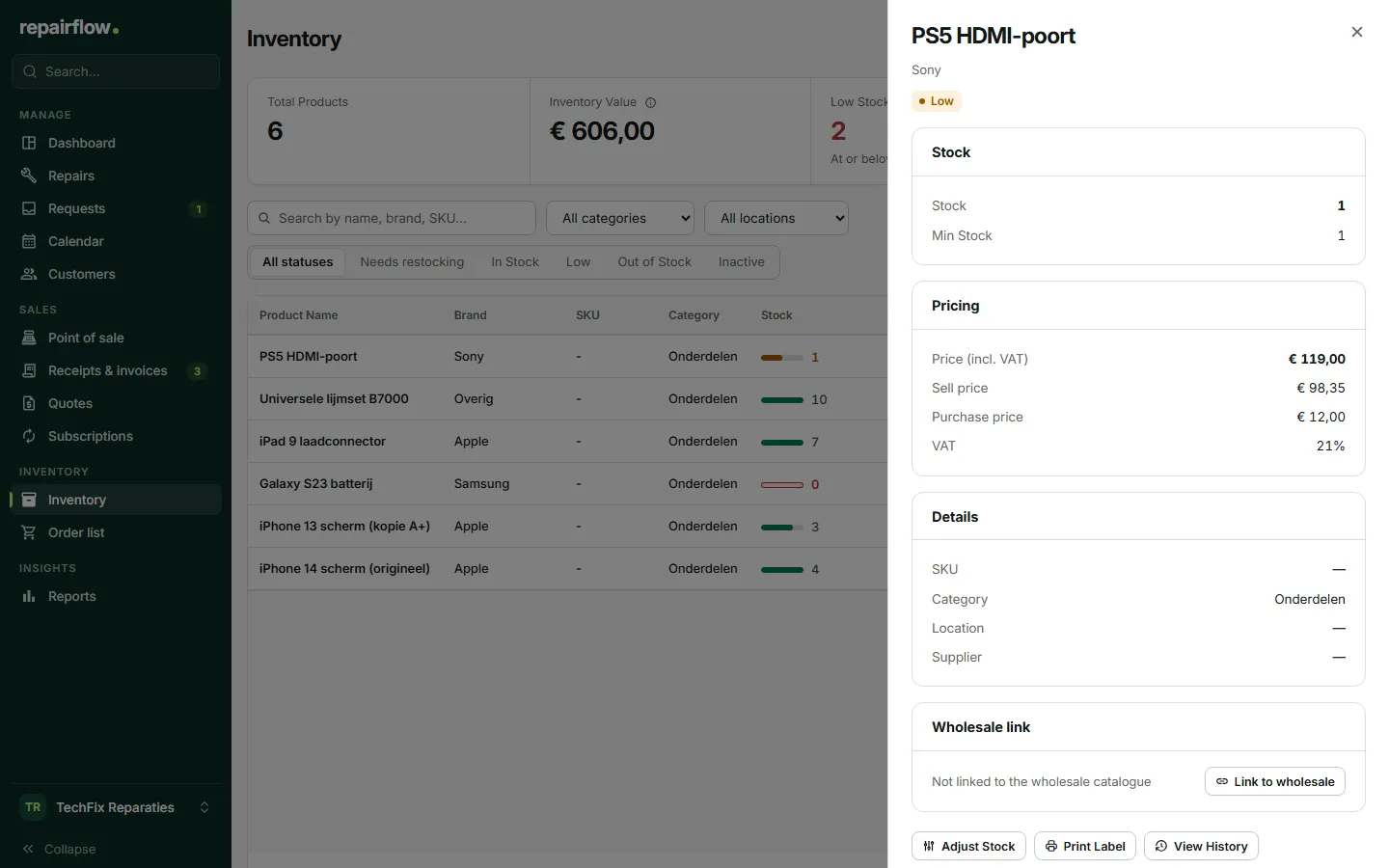
An order list that fills itself
A part below its minimum or an approved request without stock lands on the order list. When the order arrives, you book the stock in with one action and the technician gets a notification.
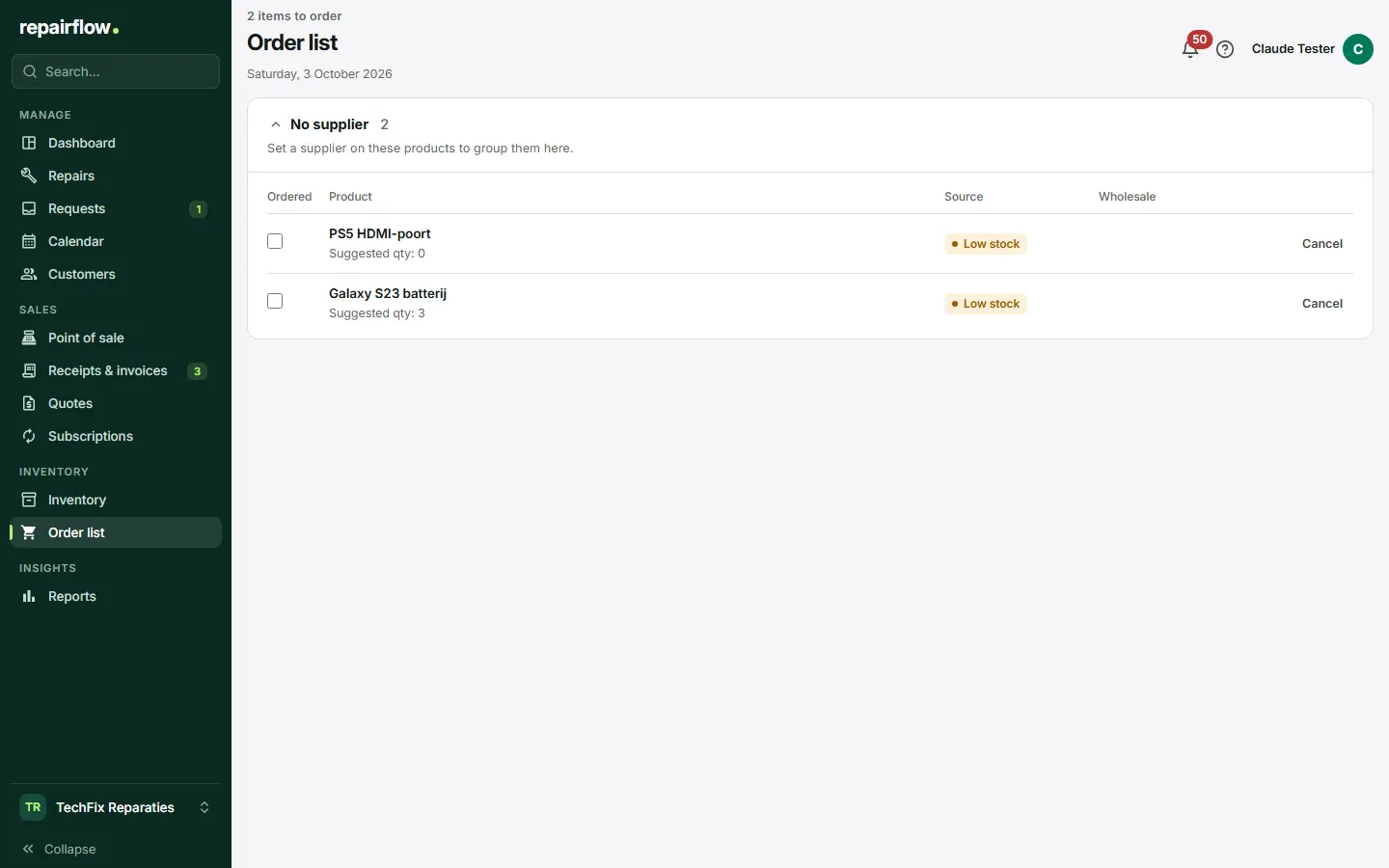
Linked to your wholesaler
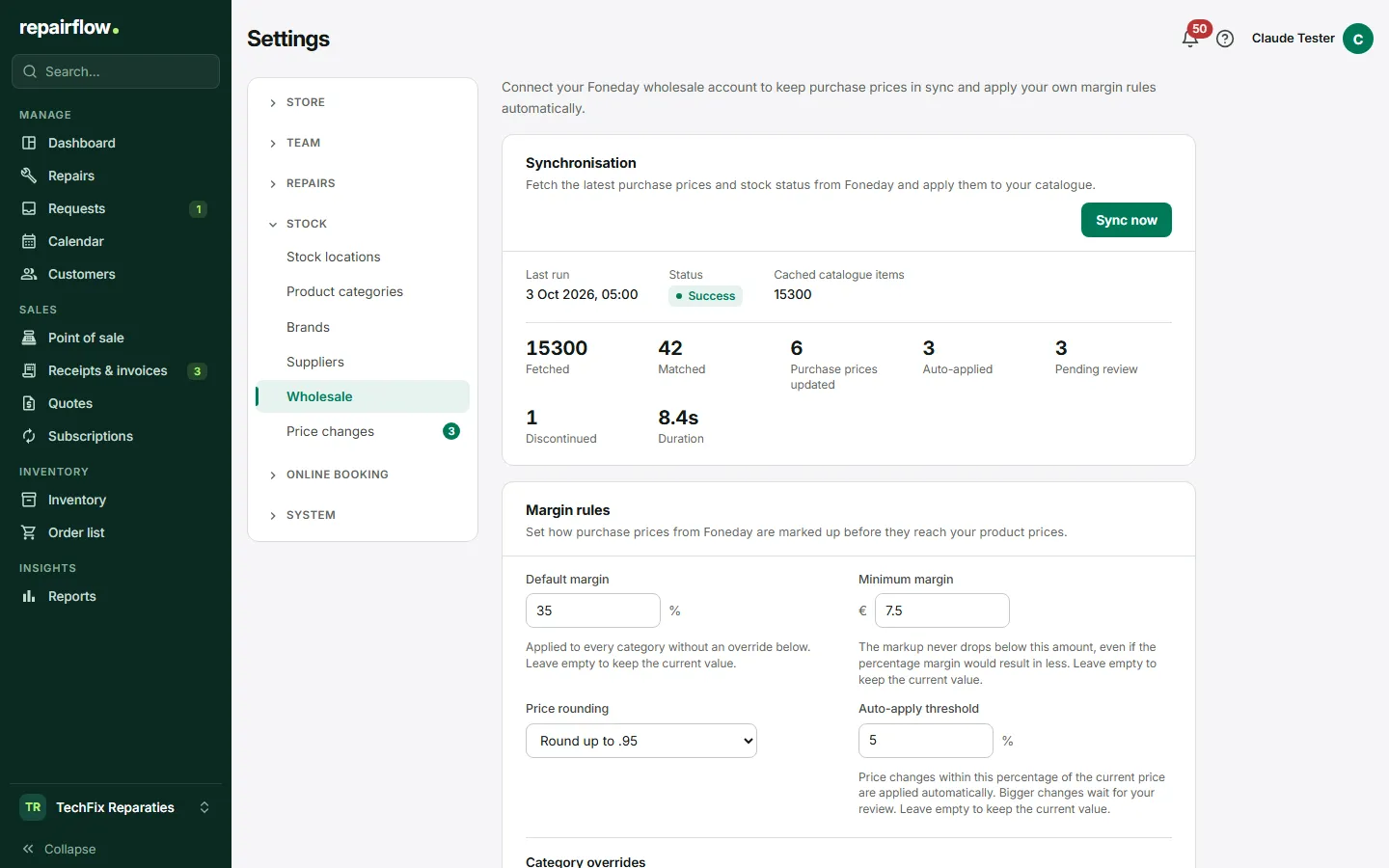
Link your wholesaler account and import parts with one click. Every night the purchase prices are updated; a price change shows up in a queue first before it touches your sale price.
How it works
-
Import your parts
From the wholesaler catalogue or by hand, with location, minimum and margin.
-
Use them on repairs
Link the part to the cost line. Stock and margin follow by themselves.
-
Order what has run out
The order list tells you what you need. Receiving is booking in.
Works together with
-
Repairs
Every repair from intake to pickup, without loose notes.
-
Point of sale
Receipts, invoices and day totals from the same system as your repairs.
Try Repairflow free for 14 days.
No credit card, ends automatically. Switching takes an afternoon.